Sonir Bench · Sonir Remote

Design every stage
of your playback chain.

Sonir Bench sits between your music app and your DAC. It takes over playback as a virtual audio device, runs the resampling and DSP you designed, and hands the result to your DAC bit-perfect. Sonir Remote measures your room with a phone and sends the correction back.

Download for macOSSonir RemotemacOS · Apple Silicon · 0.1.62 Beta
Monitor. Entry and exit are checked continuously; the spectra show what your graph did.
  1. 01/SOURCE

    Any app
    TIDAL, Qobuz, Spotify, Apple Music. Anything that plays to the system output.
  2. 02/VIRTUAL DEVICE

    Sonir Bench
    Receives playback and measures whether it arrived untouched.
  3. 03/YOUR DSP

    Resampling & DSP
    Upsampled to 705.6k / 768k with your reconstruction filter, and processed by your f64 DSP graph.
  4. 04/DAC

    Bit-perfect
    Converted to your DAC’s supported sample rate at the output stage.

Room EQ measured by Sonir Remote

01/Sonir Bench

Build it, don’t pick it.

Other players give you a list of filters to choose from. Bench gives you the parts and gets out of the way.

Any source, checked at the door
Bench captures system output to work with all streaming services. It continuously verifies bit-perfect delivery and alerts you if volume scaling or sample rate conversion occurs. Setting “lossless” in a streaming app does not guarantee a transparent signal path.
Design your own resampling
Build your own reconstruction filters instead of picking from a fixed list. Choose your window, cutoff, and tap count, and select minimum phase to eliminate pre-ringing or linear phase for perfect time alignment. Settings apply automatically per input sample rate.
A graph of your own
Assemble custom processing chains using modular nodes: parametric EQ, gain, waveshapers, envelope followers, and magnetic hysteresis. Designs are saved in readable JSON format for easy versioning and sharing.
A/B at matched loudness
A/B comparison automatically matches perceived loudness between presets. Drive-induced level changes in waveshapers are also compensated at the output, allowing you to evaluate pure tonal character without loudness bias.
Let an AI write it
Ask an AI assistant to build graphs or design filter curves for you. With our public module specification and JSON Schemas, AI models generate valid, working module definitions directly.
Three fail-closed safety stages
Every design passes schema validation, offline simulation, and safety arming before reaching your speakers. Even if an AI creates the module, it cannot bypass these hardware-protective guardrails.
Signal Chain & Verification

Verify every step from input to DAC

Bench continuously measures incoming audio to ensure bit-perfect delivery, and visualizes input and output spectra, and error counters.

Monitor view. The entire signal path from source to DAC with entry and exit spectra.

02/Numbers

The numbers

705.6k / 768kHz

Internal rate. Harmonics from nonlinear stages stay below Nyquist instead of folding back.

f64

Bus precision. Rounding error sits far below the noise floor of any DAC.

Apply heavy non-linear saturation without unwanted aliasing.

03/Sonir Remote

Measure the room with your phone.

Sonir Remote measures your listening position and sends a room correction to Bench. Bench plays the sweep; the phone records it, turns it into a frequency response and an automatic PEQ, and sends back only the filter settings. The recording never leaves the phone.
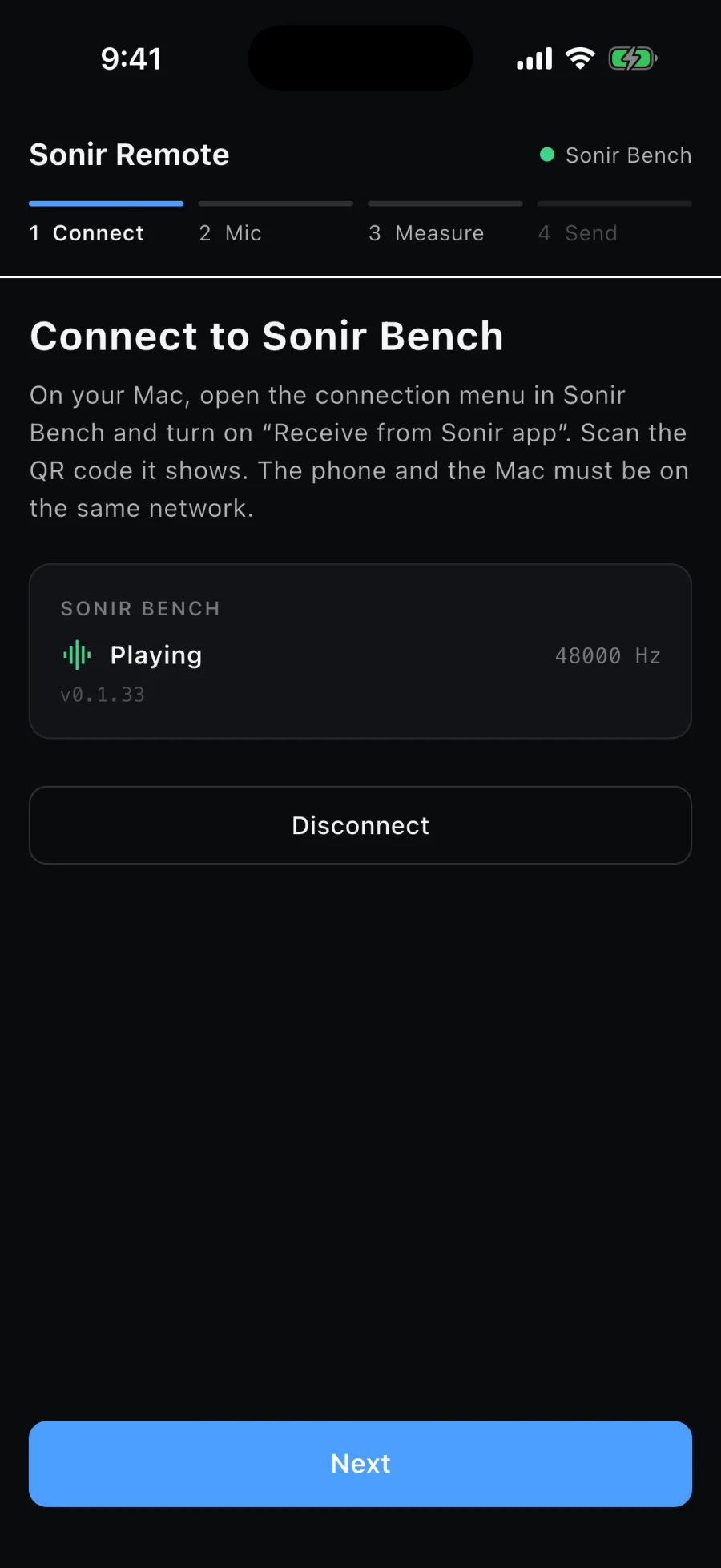
  1. Sonir Remote connected to Sonir Bench
    1
    Connect
    Scan the QR code Bench shows. The phone reconnects on its own next time.
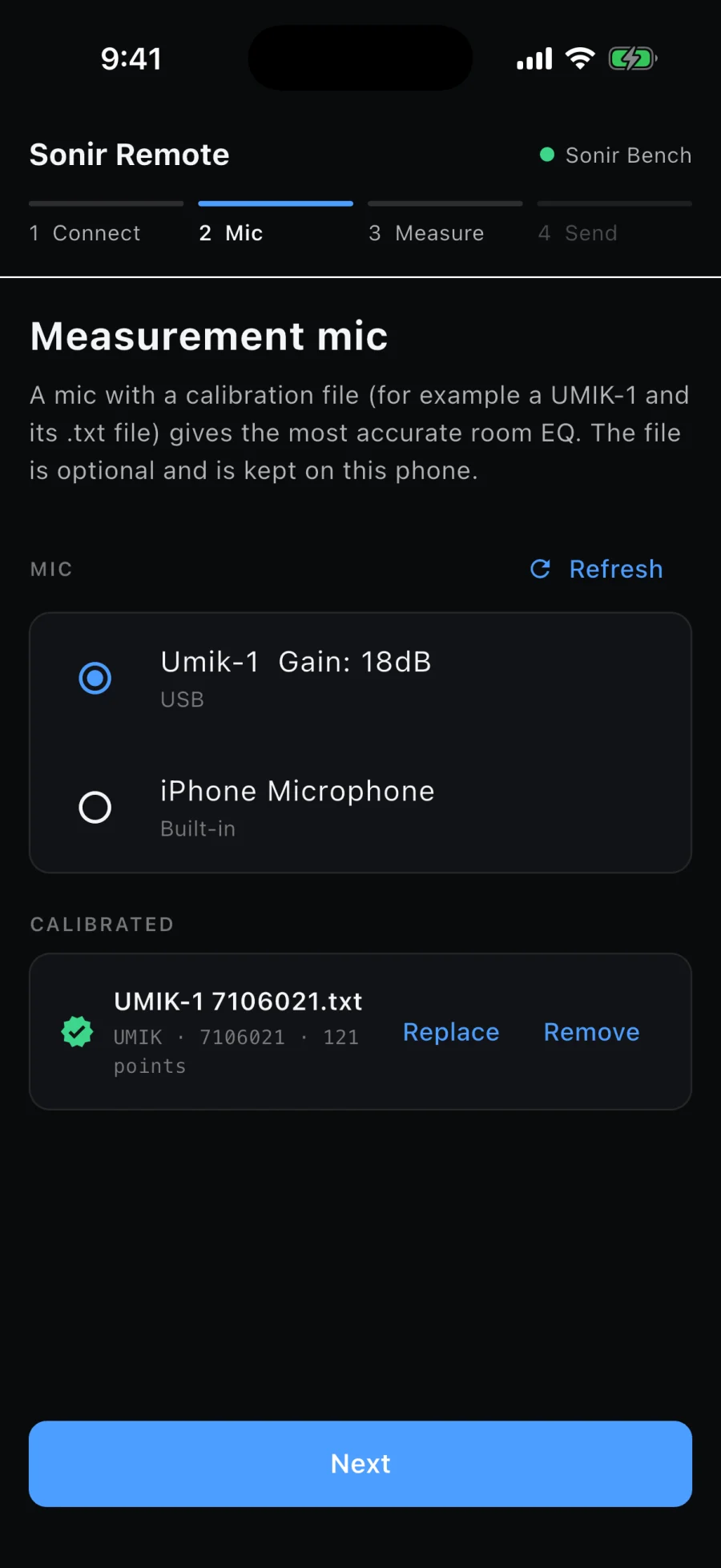
  2. Sonir Remote with a calibrated USB measurement microphone selected
    2
    Mic
    Select your microphone and load calibration data (UMIK, REW, FRD). A calibrated measurement microphone is recommended.
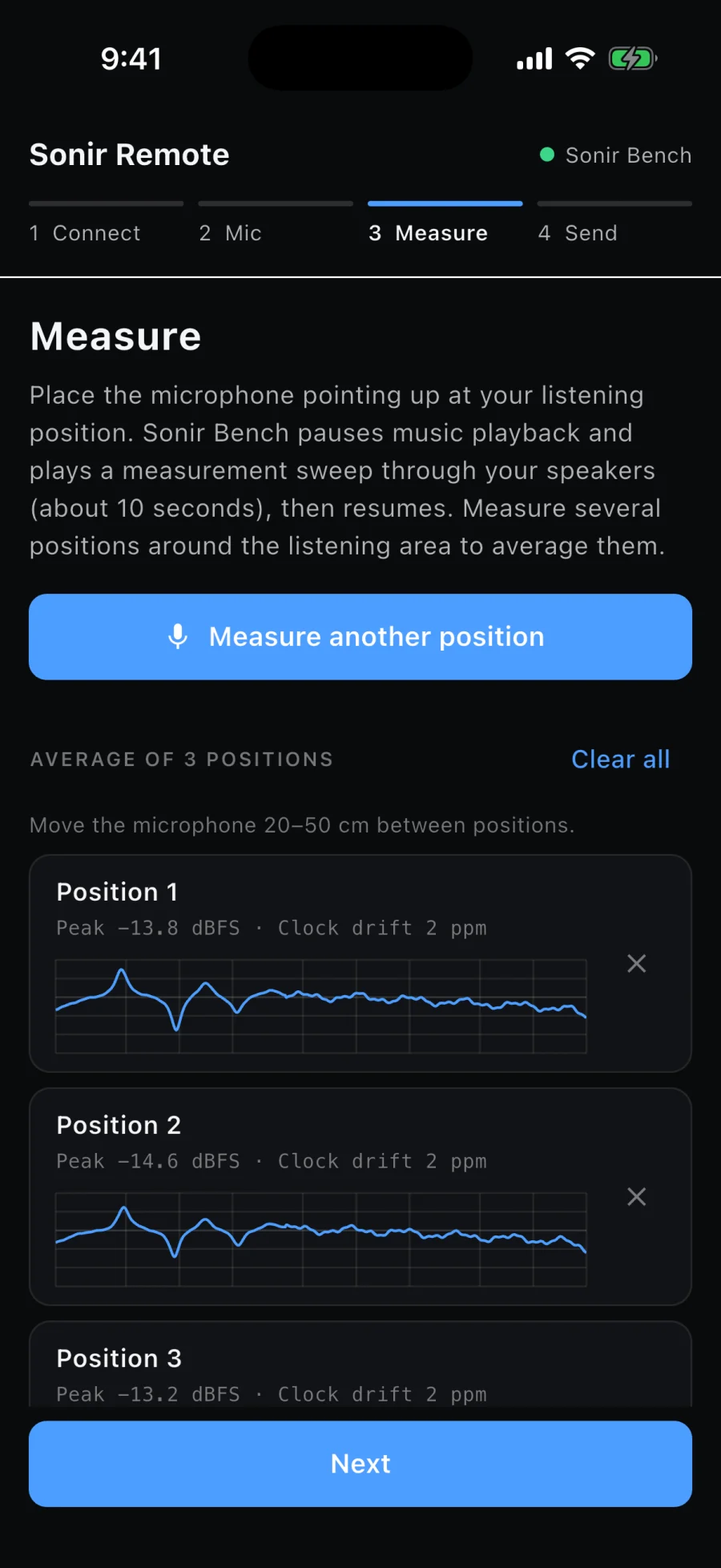
  3. Sonir Remote with three measured positions
    3
    Measure
    Bench plays the sweep signal while your phone records the acoustic response. Measure multiple locations for spatial averaging.
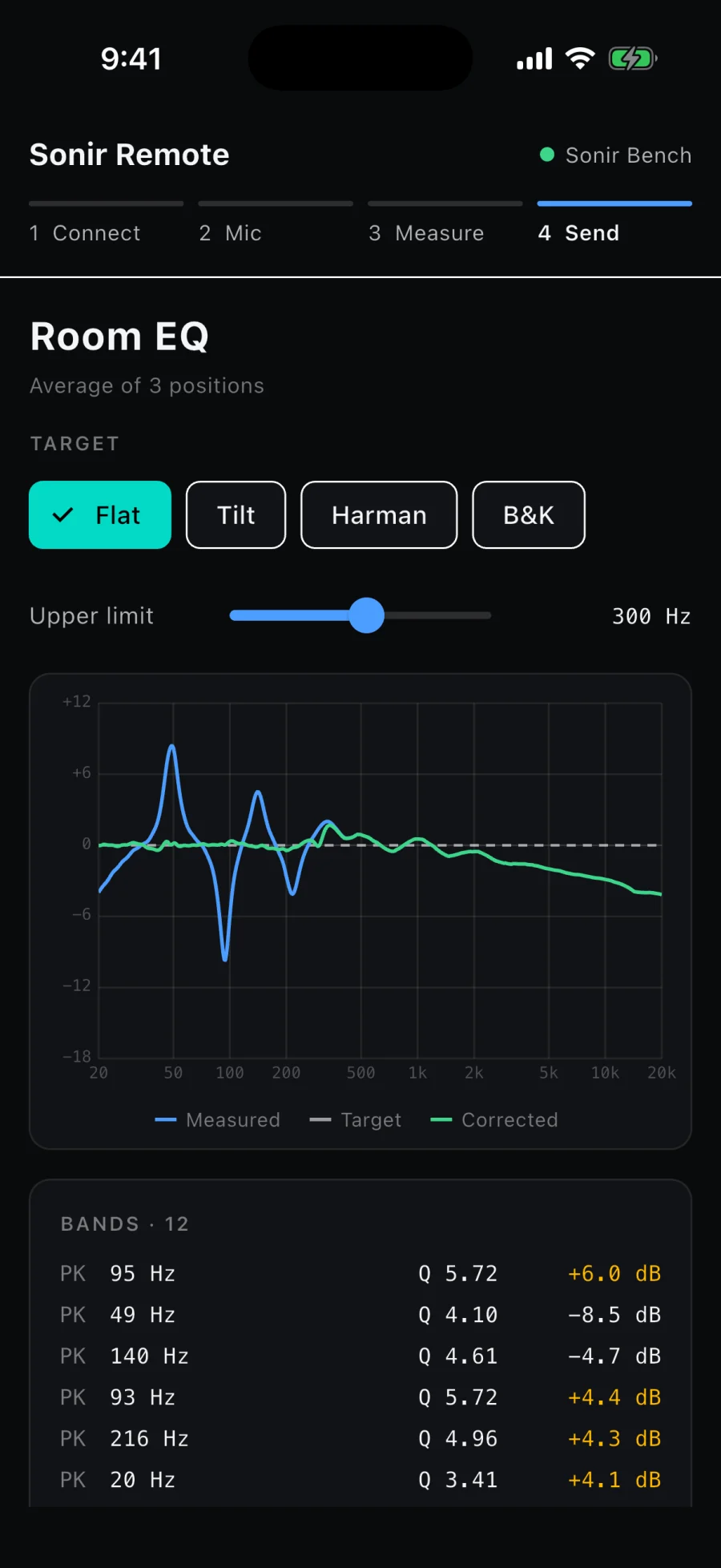
  4. Sonir Remote room EQ: measured, target and corrected curves with the PEQ bands
    4
    Send
    Choose a target curve (Flat, Tilt, Harman, B&K) and transfer the generated PEQ directly to Bench.
iOS · Android (closed test)

04/Spec v1

The module spec is public.

Everything you need to write a module, in one file: prose, JSON Schema, every error code, and reference modules that pass as they are. Written for you and for the AI you use.

Read the spec

Design every stage.

Download for macOS

Questions and requests: support@sonir.app.